Usage
ViPE CLI
Once the Python package is installed, use the vipe CLI to process raw MP4 videos:
# Replace YOUR_VIDEO.mp4 with your video path.
# Sample videos are available in assets/examples.
uv run vipe infer YOUR_VIDEO.mp4
Useful options:
| Option | Description |
|---|---|
--output, -o |
Output directory. Defaults to vipe_results. |
--visualize, -v |
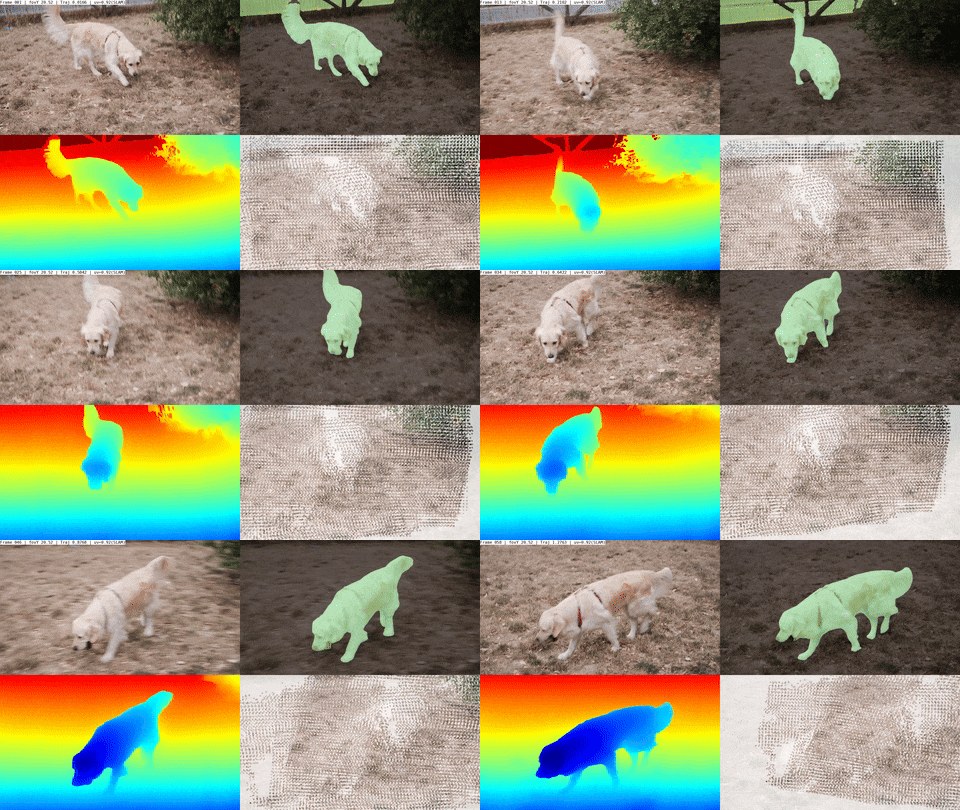
Enable visualization of intermediate and final results. |
--pipeline, -p |
Pipeline configuration to use. Defaults to default. |
--image-dir |
Process a directory of image frames instead of an MP4 file. |
Pipeline Presets
ViPE currently supports these pipeline presets:
| Preset | Use case |
|---|---|
default |
Default pipeline for pinhole cameras. |
lyra |
Configuration for results in the Lyra paper. |
dav3 |
Uses Depth Anything 3 for depth estimation. |
no_vda |
Skips Video Depth Anything alignment when it is too memory-consuming. |
wide_angle |
For videos with wide-angle or fisheye distortion. |
panorama |
For 360-degree videos. Add pipeline.post.depth_align_model=dap or pipeline.post.depth_align_model=unik3d to enable panorama depth estimation. |
The full generated configuration reference is available in Configuration.
Visualize Results
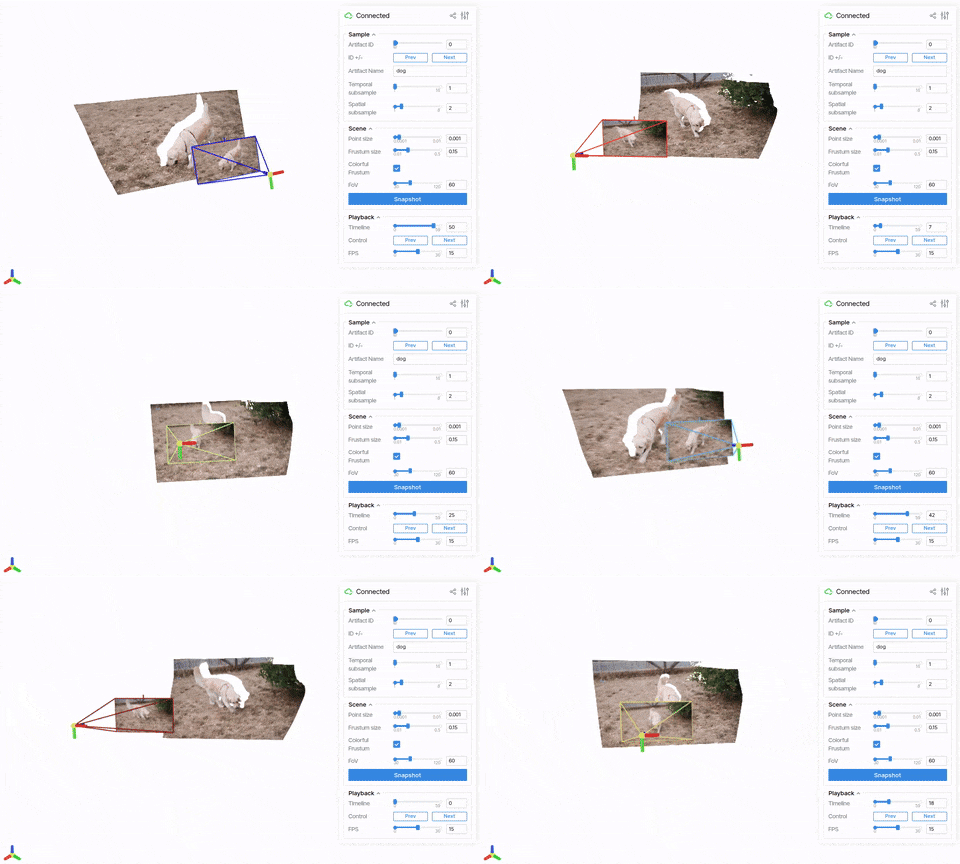
ViPE artifact outputs can be visualized with viser:
uv run vipe visualize vipe_results/
Replace vipe_results/ with the output directory you selected.
run.py
The run.py script is a more flexible way to run ViPE. Compared with the CLI, it supports multiple videos at once and fine-grained Hydra overrides.
# Run the full pipeline.
uv run python run.py pipeline=default streams=raw_mp4_stream streams.base_path=YOUR_VIDEO_OR_DIR_PATH

# Run pose-only output without depth post-processing.
uv run python run.py pipeline=default streams=raw_mp4_stream streams.base_path=YOUR_VIDEO_OR_DIR_PATH pipeline.post.depth_align_model=null
Convert to COLMAP
Use scripts/vipe_to_colmap.py to convert ViPE outputs to COLMAP format:
uv run python scripts/vipe_to_colmap.py vipe_results/ --sequence dog_example
This unprojects dense depth maps to create a 3D point cloud.
For a lighter and more 3D-consistent point cloud, add --use_slam_map:
uv run python scripts/vipe_to_colmap.py vipe_results/ --sequence dog_example --use_slam_map
This requires running the full pipeline with:
pipeline.output.save_slam_map=true